

One of the most convenient things about traveling around Japan is the abundance of coin lockers. You’ll see them in JR stations, subway stations, malls, and most tourist areas. If you’re carrying a suitcase or shopping bags and want to explore hands-free, these lockers are a lifesaver. There are many different types of lockers, once that are solely using coins with no digital screens, and some that are more sophisticated than others.
Here’s a simple guide based on a typical digital and cashless JR station locker system that allows you to pay using different methods, and one that is very common across Japan.
1. Check the Locker Screen
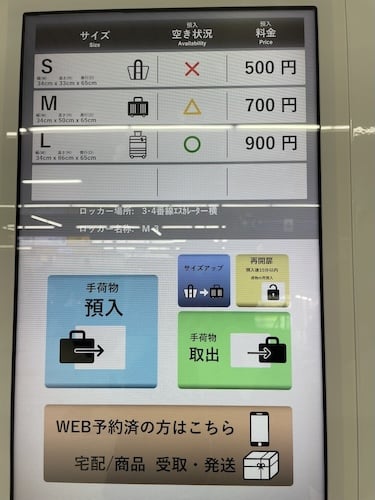
When you approach the locker area, you’ll typically see a main screen displaying the following:
- Locker sizes (S, M, L)
- Prices (often around S = 500-yen, M = 700-yen, L = 900-yen)
- Availability (it shows which ones are vacant or occupied)
This screen is your starting point and will usually show everything you need to know when keeping your bags. You can also switch the language to English to make the process go more smoothly.
2. Press the Blue Button to Store Your Luggage
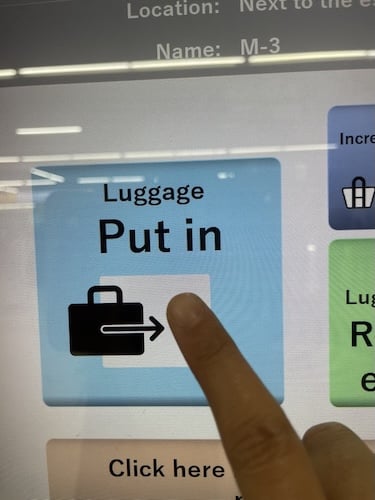
Most modern lockers have a colored button for the first action and this may vary depending on the machine setup already in place.
Simply ap the blue button to begin the “store luggage” process.
The system will then show you which lockers are available. This usually appears on a map or list of locker numbers displaying which ones are currently being used and available.
3. Choose Your Locker
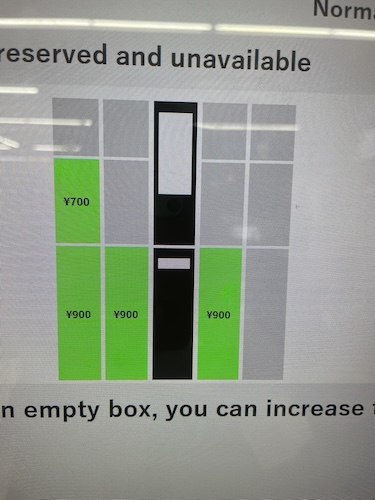
You’ll see which lockers are free and which ones are full as they are mostly highlighted in green and red, with green being available and red being occupied. Tap the number of the locker you want based on price, size of luggage and other considerations. Once selected, the screen will confirm the size and price.
This is where you’ll see the payment amount with the lowest price starting from 500 Yen per day. In some cases, you will find lockers that can cost as low as 300 yen, mostly the ones that are only coin based. After you confirm, the system will automatically unlock that specific locker.
4. Open the Locker and Place Your Items Inside
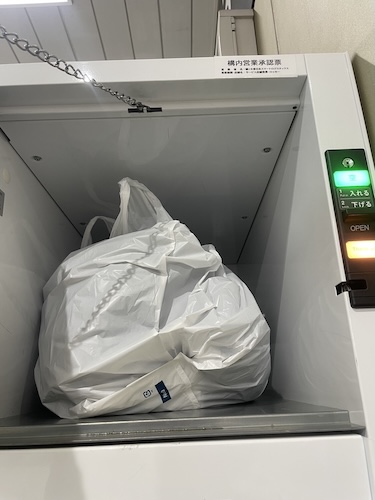
The locker will pop open up and you can finally put your suitcase or bags inside, then close the door securely.
Most lockers won’t start charging until the door is fully closed and you have actually flipped the switch.
5. Select a Payment Method
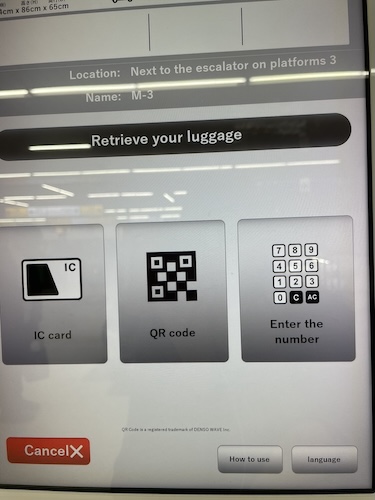
After closing the locker, return to the screen and you’ll see several payment options such as:
- IC Card (Suica, Pasmo, ICOCA)
- Credit Card
- QR Code payment (depending on the machine)
Choose the one you prefer and pay with. I usually go with the IC card payment since I lose the receipt very easily in my pockets or wallet unlike my pasmo that I always carry around with me. But for this particular instance, I decided to use the QR code method to see how it differs from the other forms of payments.
6. Receive Your Receipt (Keep This Safe!)
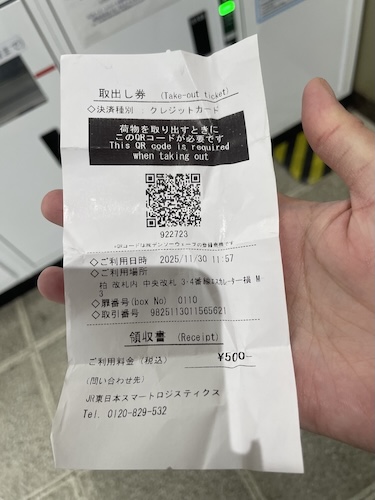
Once payment is complete, the machine prints a receipt.
This slip usually includes:
- Locker number
- QR code
- Retrieval code
- Time your rental began
This is piece of paper is very important because you’ll use the QR code or number to retrieve your luggage later.
Tip: Take a photo of the receipt just in case if you happen to lose the paper, you can still use the retrieval code to unlock the locker later on when picking it up.
7. Need to Re-Open It Quickly?
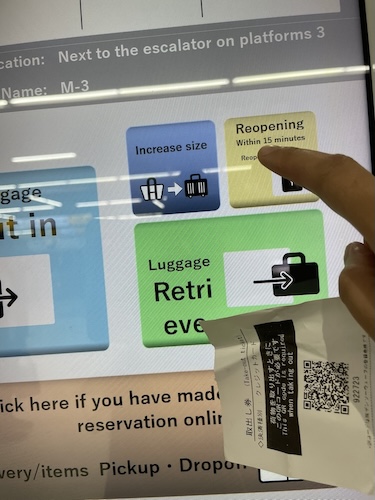
If you forgot something inside or want to rearrange your luggage, you can reopen the locker within 15 minutes without extra charge, which, in my opinion is a pretty good perk that you don’t normally get when using traditional coin lockers. Just use the QR code or IC card you used earlier to briefly open it before putting it back in.
8. Retrieving Your Luggage
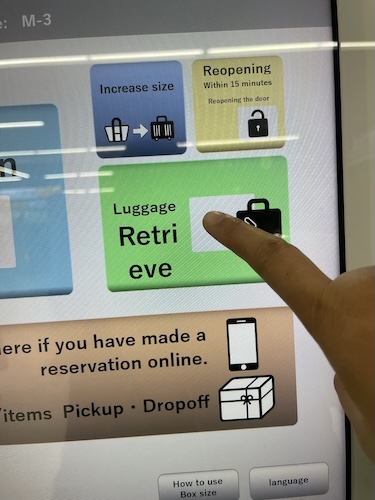
When you’re ready to leave, go back to the screen and press “Luggage Retrieve.” As mentioned earlier, you can choose from several methods of retrieving the contents of your rented locker:
- Scan the QR code on your receipt
- Tap the IC card you used for payment
- Enter the retrieval number printed on the slip
The machine will confirm your locker number and unlock the door.
Now, feel free to open it, take your bags, and you’re done.
Why Japanese Coin Lockers Are So Convenient
The amazing thing about Japan is that you can find lockers in as many places as you would, vending machines or bidet toilets. They are very easy to use and also has English support in a lot of the modern ones you can easily find in stations, shopping malls, even small villages with shrines, temples and other touristy areas.
If you find yourself shopping too much, or you are a traveler with a few pieces of luggage to drag around, coin lockers are there to save you time and energy and keep your belongings safe for you.